
AutoCAD vs SolidWorks for Beginners: Which Should You Learn First?
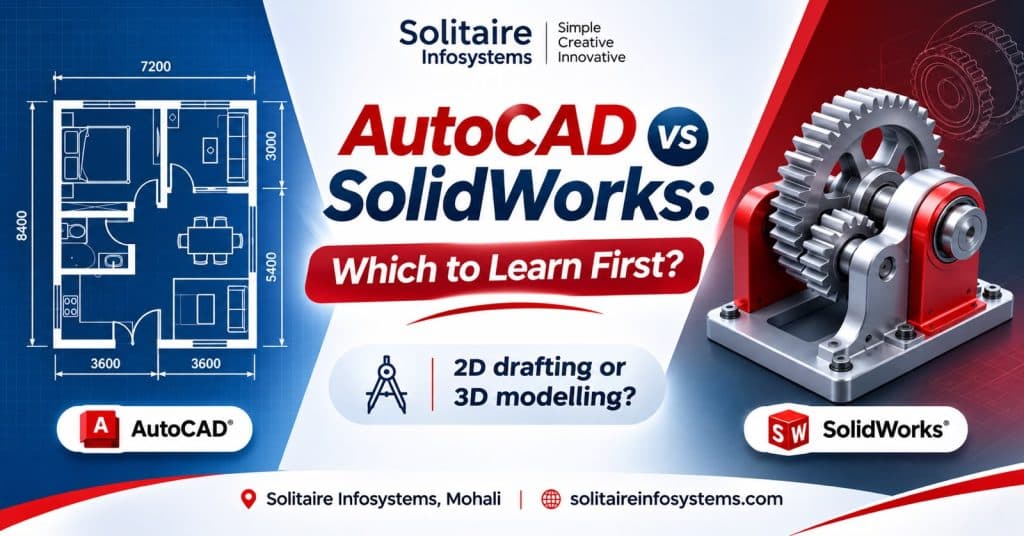
Short answer: if the real things you want to make are machines, gadgets or parts that move, start with SolidWorks. If they are buildings, floor plans, site layouts or electrical drawings, start with AutoCAD.
That is the honest version of the AutoCAD vs SolidWorks for beginners debate. Neither tool is “better”. They are built for different jobs, and the right first choice depends on what you want to build. Below is how each one works, who it suits, and the mistakes we see beginners make in their first few weeks.
What is the difference between AutoCAD and SolidWorks?
AutoCAD is a computer-aided design tool from Autodesk that is mainly used for precise 2D drawings. SolidWorks is a parametric 3D modelling tool from Dassault Systèmes, built for designing mechanical parts and putting them together into assemblies.
| AutoCAD | SolidWorks | |
| Made by | Autodesk | Dassault Systèmes |
| Main strength | Precise 2D drafting and documentation (3D is possible) | 3D parametric modelling, assemblies and simulation |
| Typical users | Architects, civil, interior and electrical drafters | Mechanical engineers, product and machine designers |
| How you work | Draw lines, arcs, layers and dimensions on a flat sheet | Sketch, turn sketches into solid features, assemble parts |
| When you change a size | You edit the affected geometry yourself | Linked features and assemblies update automatically |
| Operating system | Windows and Mac | Windows only (Mac needs a virtual machine, with limits) |
| Student access | Free one-year education plan for eligible students | Usually through your college licence; ask your department |
AutoCAD: a digital drawing board
You work on a flat sheet with lines, arcs, layers and dimensions. AutoCAD can do 3D, but most people use it for 2D work: floor plans, electrical and plumbing layouts, plant layouts and manufacturing drawings. Its real lesson is discipline. Coordinates, scale, layers and drawing standards all matter, and those habits carry over to any engineering field.
SolidWorks: a virtual workshop
You sketch a profile, turn it into a solid (extrude, revolve, cut), then assemble several parts and check how they fit and move. The key word is parametric: dimensions are linked, so if you change the thickness of a bracket, the features and assemblies that depend on it update too. You can also run basic stress checks before anything is made.
Which should you learn first if you like making real things?
Start with SolidWorks if:
- You want to design products. Gadgets, enclosures, robot parts, jigs, brackets or toys are all 3D problems from day one.
- You care about how parts fit together. Assemblies show you clashes, gaps and movement before you spend money on material or 3D printing.
- You are a mechanical, production or mechatronics student. Your design projects will almost always be 3D parts and assemblies.
Start with AutoCAD if:
- Your “real things” are buildings or spaces. Architecture, civil, interiors and site plans still run largely on 2D drawings.
- You do electrical or layout work. Wiring diagrams, panel layouts and plant layouts are 2D jobs.
- You want strong drafting basics. Reading and producing a correct technical drawing is a skill every engineering branch uses.
Our view: if you are a mechanical engineering student who wants to build products, start with SolidWorks and pick up AutoCAD drafting later. If you are in civil or architecture, do the reverse.
How long does it take a beginner to learn AutoCAD or SolidWorks?
With regular practice, most beginners can handle the basic commands of either tool within a few weeks. Being job-ready takes longer, because that comes from finishing complete projects: a full set of drawings for one building, or a working assembly with proper 2D manufacturing drawings. Projects, not hours of tutorials, are what build confidence.
What mistakes do beginners make with CAD software?
- Learning commands instead of workflow. Watching tutorial after tutorial without finishing one complete drawing or part.
- Leaving sketches under-defined in SolidWorks. Sketches without proper dimensions and relations break as soon as you edit the model.
- Ignoring layers and standards in AutoCAD. Everything on one layer looks fine until someone else has to edit or print it.
- Skipping the 2D drawing. Even a perfect 3D model needs a clear, dimensioned drawing before a workshop can make it.
- Picking a tool because it’s popular. Choose by the field you’re heading into, not by what classmates are learning.
Is it worth learning both AutoCAD and SolidWorks?
Yes, eventually. 3D models still have to become 2D drawings for manufacturing, and many drawings are shared or reviewed in AutoCAD. The smart route is to learn one tool properly first, build two or three solid projects, then add the second. Splitting time between both from day one usually means being average at each.
Cost matters too. Autodesk’s education plan gives eligible students free one-year access to AutoCAD, renewable while you are enrolled. SolidWorks is usually available through college licences, and it officially runs only on 64-bit Windows, so Mac users should check before buying a laptop.
How do you turn CAD learning into practical, job-ready skills?
Software skills grow fastest when you work on real tasks, with deadlines and someone reviewing your output. That is the idea behind Solitaire Infosystems, an IT training and software development company in Mohali that offers 4-week, 6-week and 6-month industrial training along with internships for engineering and IT students.
If you are planning your training semester, take a look at our 6-month industrial training in Mohali or the internship programs at Solitaire Infosystems. The next batch starts in January 2027. Programs vary by batch, so speak to the Solitaire team to check which track suits your branch before you enrol.
FAQs
Is AutoCAD easier than SolidWorks for beginners?
AutoCAD’s 2D basics are usually quicker to start with because you are drawing on a flat sheet. SolidWorks has more concepts to learn (sketch relations, features, assemblies), but many beginners find it more intuitive for 3D parts.
Can I learn SolidWorks without learning AutoCAD first?
Yes. SolidWorks has no AutoCAD prerequisite. Being able to read engineering drawings helps with either tool.
Does SolidWorks run on a Mac?
Not natively. SolidWorks runs on 64-bit Windows. Mac users typically use a Windows PC, a virtual machine or a remote Windows workstation, and performance can be limited.
Is AutoCAD free for students?
Autodesk’s education plan gives eligible students at qualified institutions free one-year access for educational use, renewable while they remain eligible.
Which is better for mechanical engineering students, AutoCAD or SolidWorks?
For designing parts, assemblies and products, SolidWorks is usually the better first choice. AutoCAD is more useful for 2D layouts, plant drawings and drafting work.
Ready to plan your training?
Explore industrial training at Solitaire Infosystems, or call 98766 56700 to speak with our team. Visit us at C-110, Phase 7, Industrial Area, Mohali.